Case study
InfoTik Case Study: How We Replaced a Complex Make.com Automation with Wahlu's Queue
How InfoTik moved content recycling from Make.com, Airtable and CloudConvert into a Wahlu queue.

Founder and CEO, Wahlu
· 4 min read
Updated

The Problem: A Fragile 3-Step Make.com Process
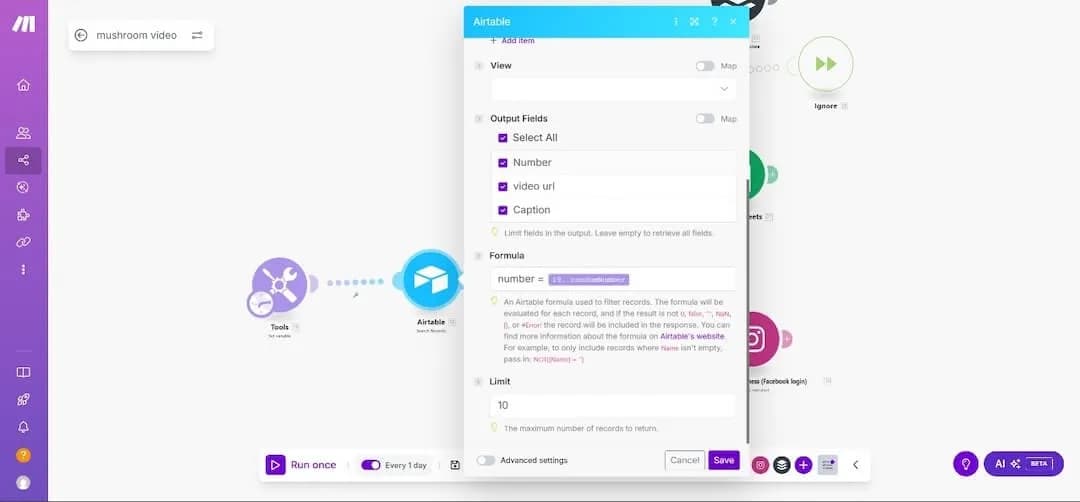
When we first spoke with Manu from InfoTik, he was dealing with a content recycling nightmare. His Make.com automation was working, but it was anything but simple. What started as a straightforward solution had evolved into a complex web of dependencies that required constant maintenance and troubleshooting.
Here's exactly how his system worked before switching to Wahlu:
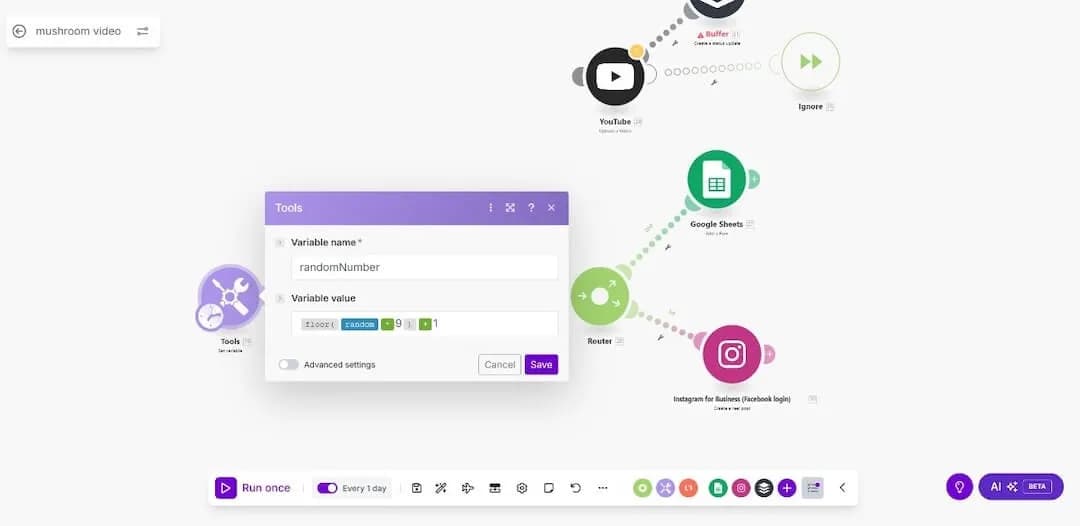
- Random Number Generator: Generated a number between 1 and the total number of videos
- Airtable Search: Used that number to search for the corresponding record in Airtable
- Video Selection: Fetched the right video and sent it to Instagram
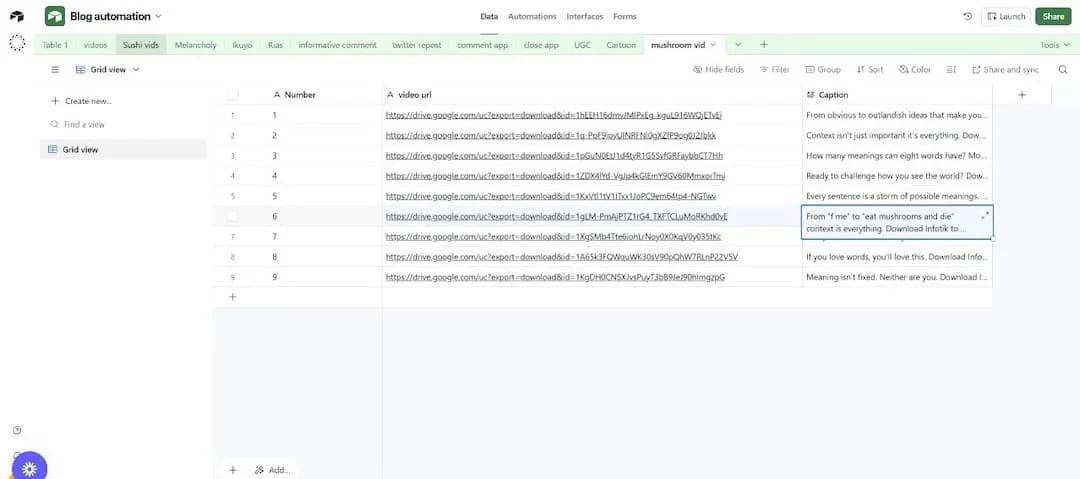
The Airtable setup was particularly painful. Manu had to maintain a specific row structure with numbers 1 through whatever (matching his video count) just so Make.com could fetch the records properly. Every time he added a new video, he had to update both the Make.com automation AND the Airtable structure.
The Biggest Headaches with Make.com
Manu identified several major pain points that made his Make.com setup unsustainable:
- Setup Time: 1-2 hours every time he had to set it up for a new account
- Constant Maintenance: Adding new videos required editing both Make.com and Airtable
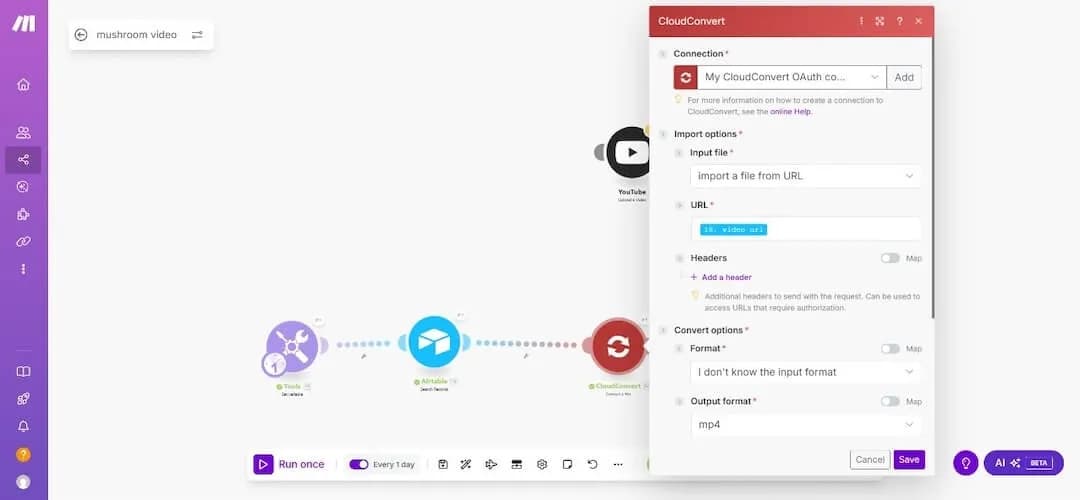
- Platform Changes: Instagram stopped accepting Google Drive links, forcing him to add CloudConvert as another step
- Credit Usage: Each additional step consumed more Make.com credits
- Error Prone: Multiple connection points meant more things could break
- No Memory: Pure random selection could post the same video multiple times in a row
The CloudConvert addition was particularly frustrating. Instagram's policy change meant Manu had to convert MP4 files back into MP4 format just to get a temporary link that wasn't a Google Drive URL. It was essentially converting a file to itself, but it was necessary for the automation to work.
CloudConvert is literally just converting an MP4 back into an MP4 just so that I can get a temporary link that isn't a drive link because Instagram stop using Google Drive links to upload videos.
— Manu, Founder at InfoTik
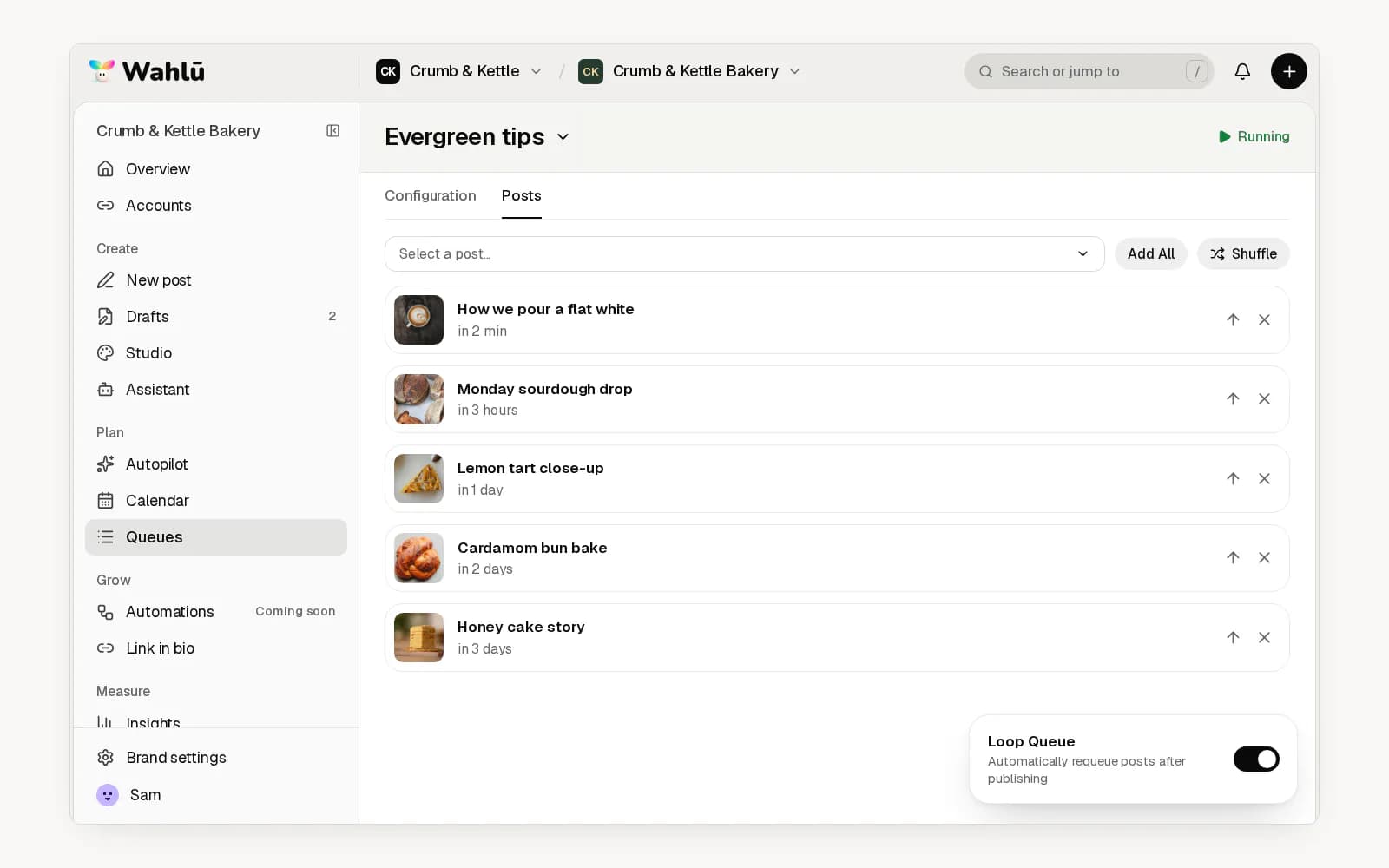
The Solution: Wahlu's Queue Feature
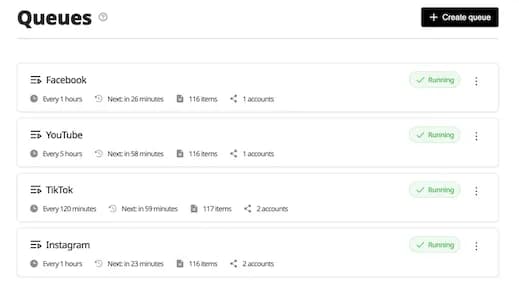
When Manu saw Wahlu's Queue feature, the benefits were immediately clear. Instead of a complex 3-step process with multiple external dependencies, he could now:
- Upload in Wahlu: Add videos to your media library without a separate Airtable base
- Integrated Workflow: Everything happens within the platform
- Add content in one place: Add new videos without changing a Make.com scenario
- Looping: Send each post to the back of the queue after it publishes
- Publishing checks: Check posts against the selected platform's rules before they go out
Before vs After: Workflow Comparison
Let's break down exactly how the workflow changed:
Before: Make.com + Airtable + CloudConvert
- Upload video to Google Drive
- Add video details to Airtable with specific numbering system
- Update Make.com automation if needed
- Random number generator picks a number
- Airtable search finds the corresponding video
- CloudConvert processes the Google Drive link
- Video gets posted to Instagram
After: Wahlu Queue
- Upload video directly to Wahlu
- Add the posts to a queue
- Set posting schedule
- Start the queue and check publishing results in History
Time Savings and Efficiency Gains
The workflow has fewer separate steps to manage:
- Setup: One queue replaces the separate automation steps
- Maintenance: Fewer separate services to manage
- Error Resolution: From troubleshooting multiple systems to single platform support
- Learning Curve: No need to understand Make.com automations or Airtable formulas
The easiest thing for creators is that I needed to have knowledge of automations and Make.com to actually get this running. If you are just a creator, it's unlikely that you're going to have this kind of knowledge. It basically just eases down the process and instead of having to actually learn Make.com automations, it's just a one-click process.
— Manu, Founder at InfoTik
Technical Advantages of Wahlu's Approach
Beyond the obvious time savings, Wahlu's integrated approach offers several technical advantages:
- Fewer Connections: No separate Airtable or CloudConvert steps to maintain
- Platform Connections: Wahlu handles the publishing API connection; each network's rules and limits still apply
- Unified Support: One place to get help when things go wrong
- Consistent Updates: Platform changes are handled by Wahlu, not the user
- Better Error Handling: Integrated systems provide clearer error messages
A request for smarter content selection
One of Manu's biggest concerns with his Make.com setup was the lack of memory. His random selection could post the same video multiple times in a row, which isn't ideal for audience engagement.
Manu suggested a shuffle option that would avoid the last few posts. That recent-repeat filter is not available today. You can change the queue order, use Shuffle, and turn on Loop Queue. Check the order and leave enough time between repeats.
Key Takeaways for Content Creators
If you're considering automation for your content recycling, here are the key lessons from InfoTik's experience:
- Simplicity Wins: The best automation is the one you don't have to think about
- Integration Matters: Fewer moving parts mean fewer things that can break
- Time is Money: Consider the total cost of setup and maintenance, not just the monthly fee
- Future-Proof Your Workflow: Choose solutions that adapt to platform changes automatically
- Start Simple: Don't over-engineer your first automation - you can always add complexity later
What changed
InfoTik moved content recycling into one queue. The posts still need to meet each network's rules, and the connected accounts need to stay active. See how to set up a queue for the current steps.
Wahlu's Queue does it better - no maintenance, no headaches.
— Manu, Founder at InfoTik
Sometimes the best solution isn't the most complex one, but the one that just works.
Ready to simplify your content recycling workflow? Try Wahlu's Queue feature and see how easy content automation can be when it's built right into your social media management platform.