Content calendar
8 Social Media Content Calendar Examples You Can Copy (2026)
Weekly, monthly, campaign and evergreen-queue calendar examples, with small-business and creator versions you can adapt in an afternoon.

Founder and CEO, Wahlu
· 9 min read
Updated

Most content calendar examples online are either a blank template or a colour-coded spreadsheet built for a large marketing team. Neither helps much when you're a founder, a creator or a small business trying to post consistently alongside everything else.
Below are eight social media content calendar examples filled in with real-looking posts, so you can see how each one works in practice. They cover a weekly plan, a monthly plan, a launch campaign and an evergreen queue, with versions for small businesses, creators and people managing several brands. Copy the one closest to your situation and change the details.
What a content calendar should include
Quick answer: A useful social media content calendar records, for each post, the date and time, the platform and account, the format, the content pillar or theme, the caption or hook, the media, the call to action and its status. Everything else is optional.
Here is what one row looks like:
| Date and time | Platform | Format | Pillar | Hook or topic | Media | Call to action | Status |
|---|---|---|---|---|---|---|---|
| Tue 10:00 (audience time) | Instagram, Facebook | Carousel | How-to | "3 mistakes people make when booking a first appointment" | 5 slides, brand template | Link in bio to book | Scheduled |
A few columns earn their place more than people expect:
- Time zone. If your audience is in a different time zone from you, note which one each time refers to. Wahlu shows each brand's audience time zone next to the scheduled time for this reason.
- Pillar. Tagging each post with a theme makes it obvious when a week has become all promotion.
- Status. Idea, drafted, ready, scheduled, published. This stops finished posts sitting in a folder.
If you only track five things, make them date, platform, format, topic and status.
Example 1: A weekly content calendar for a small business
Best for: a local business with one person handling social media for a few hours a week. The example is an independent bakery, but the structure works for a café, salon, clinic or trade business.
| Day | Platform | Format | Pillar | Example post |
|---|---|---|---|---|
| Monday | Instagram, Facebook | Carousel | How-to | "How to keep sourdough fresh for five days" |
| Tuesday | Instagram Story | Photo | Behind the scenes | The first trays out of the oven at 6am |
| Wednesday | Instagram Reel, TikTok | Short video | Process | Shaping loaves, 20 seconds, text on screen |
| Thursday | Photo post | Community | Where to find the stall at Saturday's market | |
| Friday | Instagram Story | Poll | Audience | "Which flavour should we bake next week?" |
| Saturday | Instagram, Facebook | Photo post | Product | This weekend's special, with price and pickup times |
| Sunday | — | Off | — | — |
Why it works: four posts and two Stories a week is manageable for one person, and the mix of how-to, process and product means the account isn't just a menu. Most of it can be photographed in one morning.
Scheduling note: the Friday poll needs a poll sticker. Instagram's API doesn't support publishing stickers, so schedule that Story in Meta Business Suite or post it from the app. Our guide to scheduling Instagram Stories and Reels explains where each type can be scheduled.
Example 2: A creator week built on one long video
Best for: creators and educators who make one main piece a week and want it to feed every platform. The example is a creator who teaches video editing.
| Day | Platform | Format | What it is |
|---|---|---|---|
| Monday | YouTube | Long video | The week's main tutorial: "Colour grading phone footage in 10 minutes" |
| Tuesday | TikTok, Instagram Reel, YouTube Shorts | Vertical clip | The single most useful 30 seconds from Monday |
| Wednesday | LinkedIn personal profile | Text post | A lesson from a client project, with the tutorial linked in a comment |
| Thursday | Carousel | The tutorial's steps as a five-slide cheat sheet | |
| Friday | TikTok, Instagram Reel | Vertical clip | A before-and-after from the tutorial |
| Saturday | Instagram Story | Question box | Ask what next week's tutorial should cover |
| Sunday | — | Planning | Pick next week's topic from the replies |
Why it works: one idea becomes six or seven posts, each adapted to its platform instead of pasted everywhere. The Saturday question feeds the next Monday, so you're rarely stuck for a topic.
Example 3: A monthly content calendar with weekly themes
Best for: small businesses and service providers who want a plan for the month without deciding every post in advance. The example is a physiotherapy clinic.
| Week | Theme | Anchor post | Supporting posts | Dated items |
|---|---|---|---|---|
| 1 | Meet the team | Reel introducing a new physio | Two photo posts, one Story Q&A | Welcome post on their first day |
| 2 | Common problems explained | Carousel: "Why desk work causes neck pain" | Short exercise video, myth-versus-fact post | — |
| 3 | Patient stories | Written story shared with the patient's permission | Before-and-after mobility clip, Story poll | — |
| 4 | Booking and FAQs | "What happens at your first appointment" video | Parking and pricing FAQ, hours update | Public holiday opening hours |
Why it works: each week has one anchor post that takes real effort and two or three lighter posts around it. The "dated items" column is where fixed events go (holidays, launches, local events) so they never get forgotten.
A monthly view also helps with timing. Instagram's help centre says the app lets you schedule up to 30 days ahead, so if you rely on native scheduling, a month is a natural planning window.
Example 4: A content pillar rotation
Best for: anyone who struggles with variety or keeps posting the same type of thing.
Pick four content pillars, meaning recurring themes your audience cares about, and give each one a fixed day.
Fitness coach:
- Monday, workout tips (educational)
- Wednesday, client results (social proof, with permission)
- Friday, nutrition myths (authority)
- Sunday, a day in my life (relatability)
SaaS founder:
- Monday, product tips and tutorials
- Wednesday, an opinion on the industry
- Friday, a customer story
- Sunday, building in public: numbers, decisions, mistakes
Why it works: you never start from a blank page, because the day tells you the lane. If you need prompts within each pillar, our list of 75 social media post ideas is organised by type.
Example 5: A four-week launch campaign calendar
Best for: product launches, course launches, events and seasonal sales.
Launch calendars are time-bound and follow a shape: build awareness of the problem, preview the solution, launch, then close.
Week 1: the problem
- Three posts about the problem the product solves, in your audience's words
- One poll or question asking how they deal with it now
- Two behind-the-scenes Stories showing what you're building
Week 2: the preview
- Two posts showing parts of the product or offer
- One "coming soon" announcement with the date
- A countdown in Stories
- An email to your list, if you have one
Week 3: launch
- Launch day: the announcement on every platform you use, plus Stories through the day
- Days 2–3: early reactions and first customer questions
- Days 4–5: FAQs and objections answered directly
- Days 6–7: reviews or results, only real ones, with permission
Week 4: the close
- A reminder of the deadline if there is one
- A recap of what people asked and bought
- A thank-you post
Small-business version: for a 10-day sale, compress this to three days of preview, one launch day and six days of reminders, product highlights and "last chance" posts.
Scheduling tip: schedule the whole sequence before launch week starts. On launch day you want to be answering comments and messages, not uploading posts. Leave a couple of empty slots for replies to real questions.
Example 6: An evergreen queue alongside your calendar
Best for: businesses and creators with a library of posts that stay accurate, such as answers to common questions, product demonstrations and how-tos.
Instead of putting every post on a specific date, split your plan into two layers:
| Layer | What goes in it | How it's scheduled | Example |
|---|---|---|---|
| Calendar | Launches, offers, events, news, anything with a date | A specific date and time | "Black Friday opening hours", Friday 8am |
| Evergreen queue | Posts that are still true in six months | Recurring slots, such as Tuesday and Thursday at 10am | "How to choose the right size", "What's included in a first visit" |
How the numbers work: a queue of 12 posts at two posts a week lasts six weeks before anything repeats. If that feels too soon, add more genuinely useful posts or reduce the frequency. That's simple arithmetic, not a rule about what your audience will tolerate.
In Wahlu, a queue has its own accounts, posting times and time zone, and you can switch on looping so published posts go back into the queue. Keep dated offers out of a looping queue, and review it whenever prices, products or links change. The evergreen queue guide walks through setting one up, and the scheduling features page shows how the calendar and queues work together.
Example 7: A multi-brand or agency calendar
Best for: agencies, freelancers and founders managing several brands or clients.
Structure it by brand first and by day second. For each brand, keep:
- A monthly theme agreed with the client at the start of the month
- A fixed weekly cadence, for example four Instagram posts, three LinkedIn posts and two TikToks
- A status column: draft, in review, approved, scheduled, published
- An approval deadline, such as two working days before the publish date, so late sign-offs don't become late posts
The key difference: separate creating from scheduling. Draft the content, get approval in whatever tool you and the client already use, then schedule only approved posts.
In Wahlu, each brand has its own connected accounts, calendar and queues, so one client's schedule doesn't bleed into another's. Approved evergreen content can go into that brand's queue to fill regular slots, while campaign posts go on specific dates.
Example 8: A platform-first calendar
Best for: creators focused on growing one platform.
Instagram-first week (five feed posts plus Stories):
- Monday: carousel (educational, worth saving)
- Tuesday: Reel (a trend or format adapted to your niche)
- Wednesday: Stories only (polls, questions, behind the scenes)
- Thursday: single image (a quote, result or infographic)
- Friday: Reel (a personal story or strong opinion)
TikTok-first week (daily posting):
- Format rotation: hook-led tip → story time → trend → tutorial → reply to a comment → hook-led tip → rest day
- Batch filming: record the week's videos in one session, then edit and schedule them
- Trends: check once a week and swap a trend into the rotation where it fits
Whatever you choose, measure it against your own numbers. Instagram's insights show views, interactions and, once you have 100 followers, the times your followers are most active. Use that rather than a generic posting-time chart. Our guide to the best time to post on social media explains what the published studies can and can't tell you.
How to build your own content calendar in 30 minutes
- Pick your platforms. Two or three to start. Choose the ones your customers actually use.
- Choose a frequency you can keep up. Three posts a week you can maintain is better than daily posting you abandon after a fortnight.
- Define three or four pillars. See Example 4.
- Map pillars and formats to days. Use Example 1 or 2 as the starting grid.
- Add the dated items. Holidays, launches, events and sales for the next month.
- Batch create. Set aside a regular block each week or fortnight to make the next batch.
- Check and schedule. Run captions through the free social media post checker, which checks each platform's character, hashtag and link limits and shows a preview, then schedule everything.
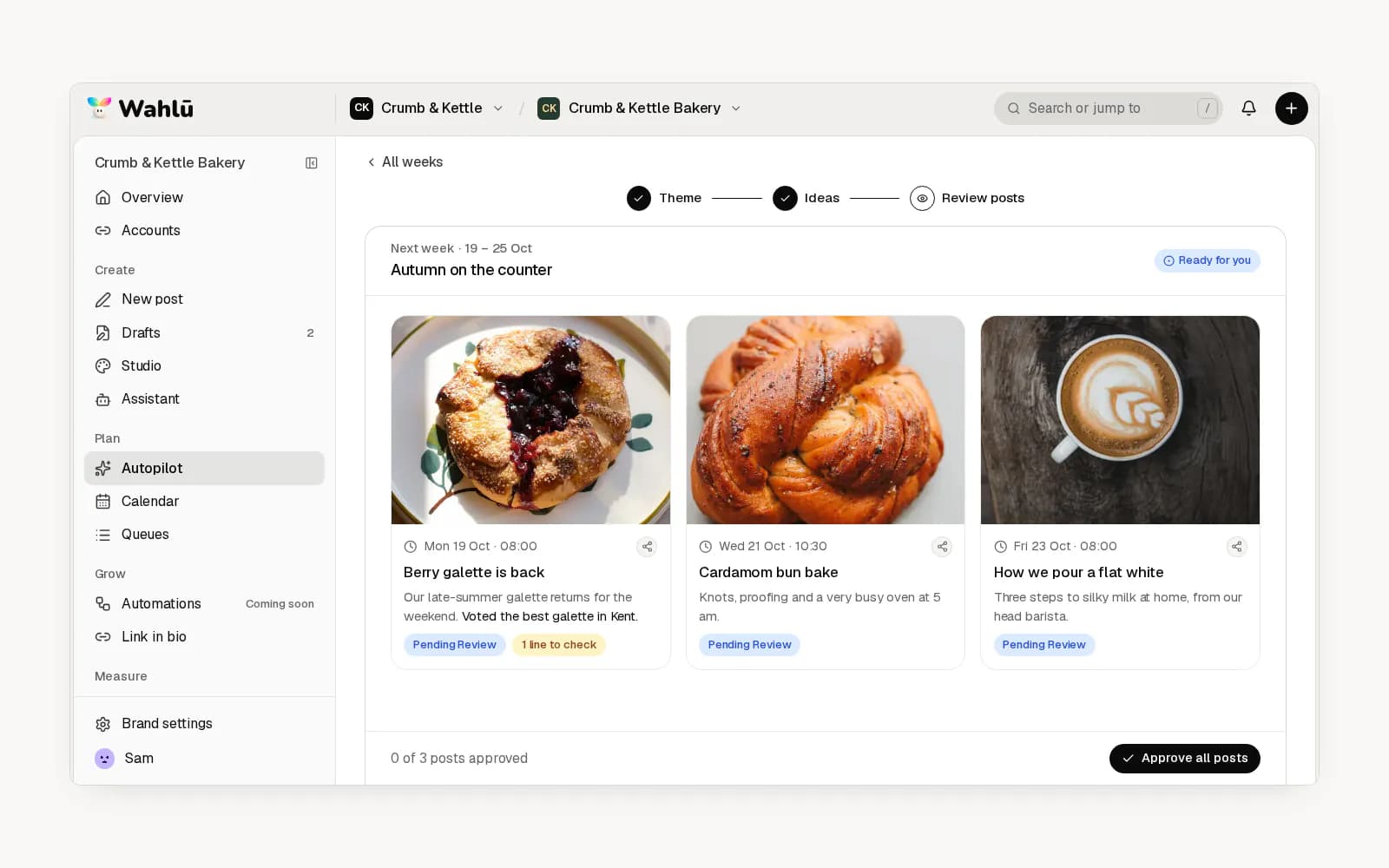
A spreadsheet is fine for the first month. Once the rhythm works, move to a tool that publishes for you, so the calendar and the posting are the same thing. If you'd rather not start from a blank grid, Wahlu's paid plans can build a brand plan from your website and draft captions and images for you to review before anything is scheduled.
Where to keep your content calendar
- Google Sheets, Excel or Notion. Free and flexible, but you still publish every post by hand.
- Trello or Asana. Good for agency approval stages; they don't publish to social platforms on their own.
- Meta Business Suite. Free, with a planner for Facebook and Instagram, including Stories with stickers. It doesn't cover TikTok, YouTube or LinkedIn.
- Wahlu. Schedules and publishes to Instagram, Facebook, TikTok, YouTube, LinkedIn personal profiles, Threads, X, Bluesky, Telegram, Discord, Tumblr and Pinterest from one calendar, with recurring queues for evergreen content. Plans are billed monthly or annually; see pricing.
- Other schedulers, such as Later and Buffer, also offer visual calendars. If you're comparing options, our roundup of social media automation tools looks at what each one automates and where it stops.
The best tool is the one you'll keep using. If you're copying posts from a spreadsheet into each app every day, though, a scheduler will save you that step.
Frequently asked questions
What should a social media content calendar include?
At minimum: the date and time, platform, format, topic or caption, and status. Most people benefit from adding a content pillar, the media file or link, the call to action and the time zone the time refers to.
What is an example of a content calendar?
A simple example is a weekly grid with one row per day: Monday a how-to carousel on Instagram and Facebook, Wednesday a short video on Instagram and TikTok, Friday a Story poll, Saturday a product post. Example 1 above shows a complete week for a small business.
How far ahead should I plan my content calendar?
Two to four weeks suits most small businesses and creators: far enough ahead to batch, close enough to react to news. Agencies often plan a month ahead for client approval. Evergreen content can sit in a queue indefinitely, as long as you review it when details change.
What's the best content calendar for beginners?
Start with Example 1 or Example 2: a weekly grid with three or four posts and one idea repurposed across platforms. Keep it for a month before adding more.
How do I stick to a content calendar?
Batch creation and scheduling. Make the next week's or fortnight's content in one session, then schedule it so it publishes without you. You'll only need to open the calendar when something changes.
Can I use the same content across multiple platforms?
Yes, but adapt it. A LinkedIn post needs a different opening from an Instagram caption, and a TikTok video can become an Instagram Reel with a different description and hashtags. Repurpose the idea, not the exact post. Images need adapting too: the social media image size guide lists each platform's current sizes and can crop one image to several of them in your browser.