Product guide
Set up an evergreen social media queue without repeating stale posts
Choose the right content, set a sensible rhythm and know when to stop the loop.

Steve Richardson
Creator of Wahlu
· 4 min read
Some posts are useful more than once: an explanation of your main service, a product demonstration or the answer to a question customers keep asking. Others have an expiry date, even when the image still looks good.
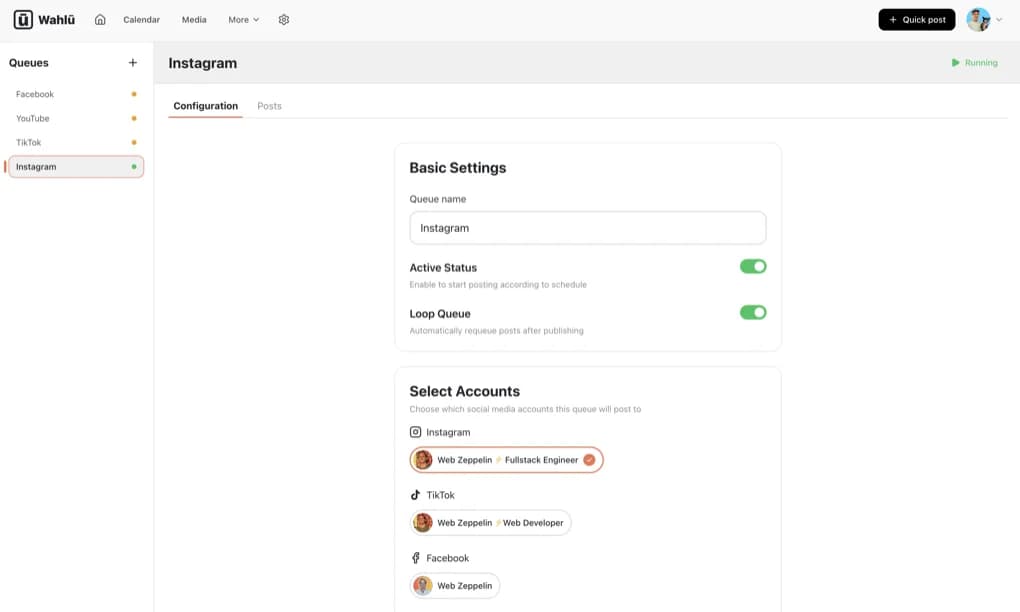
A queue is useful for the first group. Instead of choosing a date for each individual post, you add content to a queue and set its posting rhythm. In Wahlu, Loop Queue requeues posts after publishing so the content can be used again.
That saves repeated scheduling work. It does not decide whether an old price, link or promise is still correct. The content needs a human review before it goes into the loop, and another review when the business changes.
Decide what belongs in the queue
Start with posts that remain accurate without a particular date. A bakery might reuse a short explanation of how to order a celebration cake. A software business might reuse a demonstration of a stable feature. A local service business might explain what happens during a first appointment.
Keep limited offers, event announcements and temporary opening hours out of an open-ended loop. A “last chance” caption is not evergreen just because it once performed well. Nor is a customer photograph yours to reuse indefinitely if the permission you received was limited.
Before adding a post, check:
- Is the information still true, including prices and product availability?
- Does the destination link work, and does it match the caption?
- Do you have permission to reuse the media and any customer quotation?
- Would the post make sense to someone seeing it next month?
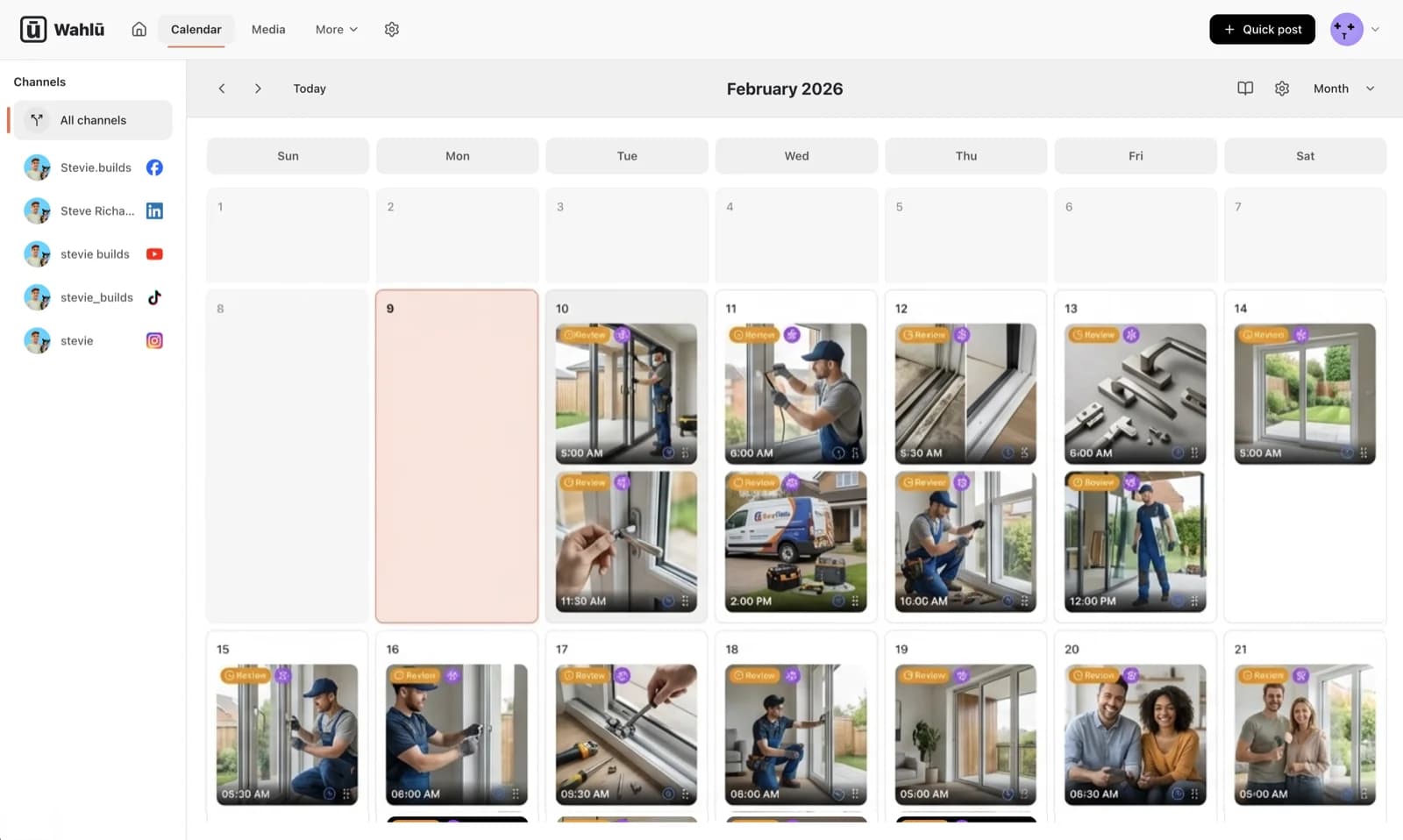
If the final answer is no, schedule it for a specific occasion instead. The calendar and scheduling tools are better suited to a one-off launch or announcement.
Create a queue for one clear purpose
Open the correct brand in Wahlu and go to Queues. Give the queue a name that makes its contents obvious, such as “Product demonstrations” or “Customer questions”. A name like “Queue 2” is easy to create and difficult to audit later.
Keep Active Status off while you configure it. In the queue's Configuration area, use Select Accounts to choose the social accounts it will post to. Check the actual account names, not just the platform icons.
Different accounts may need different content. A caption written for an existing customer audience can feel strange on a founder's personal profile. If the same material does not suit every destination, use a smaller selection of accounts or separate queues.
Choose the posting rhythm
Wahlu's queue settings offer an interval-based mode and a times-of-day mode. An interval is useful when you want a repeated gap between posts. Specific times are easier to reason about when you want a post at a known local time.
Set the time zone deliberately. If you manage a brand in another country, your laptop's local time may not be the right reference. Check Starts At and Ends At as well, particularly if the queue is intended to run only during a campaign period.
Pick a cadence you can maintain with worthwhile content. More frequent posting consumes the queue faster. As a simple planning example, a library of 14 posts used at two posts per day contains about seven days of content before reuse, assuming each post is used once in that period. This is arithmetic for planning, not a guarantee about delivery order or provider behaviour.
If that repeat interval feels too short, add more genuinely useful posts or reduce the frequency. Adding near-identical captions to make the queue look larger does not give a returning reader much variety.
Add the content and read it in sequence
Use the queue's Posts area to inspect the material assigned to it. Check each caption and media item, then look at the collection as a whole. Five individual product promotions can all be reasonable while still making an unhelpful run of five promotions in a row.
Mix topics according to what your audience needs: an explanation, a demonstration, an answer to a common question and an example of the product in use. This is an editorial choice, not a required content formula. A specialist account may reasonably focus on just one kind of useful post.
Check media for the selected platforms. The existence of a queue does not remove platform-specific format requirements or account permissions. For example, a video prepared for one destination may need attention before it works on another. Do not leave that discovery until the queue is due to publish.
Turn on looping only when you mean to reuse the posts
Active Status and Loop Queue do different jobs. Active status allows the queue to post according to its schedule. Looping requeues published posts for later reuse.
Read the settings together before enabling the queue: selected accounts, posting mode, frequency or times, time zone, date range and loop setting. Activating a queue is a publishing decision, not merely saving a draft configuration.
For a finite sequence, leave looping off. For an evergreen library, turn it on only after checking that every included post is suitable for reuse. If you are unsure, begin with a small, reviewed collection and inspect the first publishing outcomes before adding more.
Keep a short maintenance routine
A queue needs attention when the facts change. Review it when a product is discontinued, a price changes, a service area expands or a link is replaced. Those events matter more than an arbitrary promise to “set and forget” your social accounts.
It also helps to revisit the queue regularly to remove content that no longer earns its place. You do not need to rewrite everything. Replace a dated screenshot, clarify an answer or retire a post that now duplicates a better one.
If something looks wrong, turn Active Status off while you investigate and inspect the calendar for anything already scheduled. Pausing future queue activity should not be treated as proof that every separately scheduled post has disappeared. Confirm the actual state before assuming nothing else can go out.
Wahlu's InfoTik case study shows one reason a creator might prefer a built-in queue to a chain of separate automation tools. Your own setup can be simpler: a clear purpose, a reviewed set of posts and a schedule you understand.
If you use an AI agent for other work, keep this distinction in mind: Wahlu's MCP connector can prepare drafts and schedules, but current queue management happens in the Wahlu app.